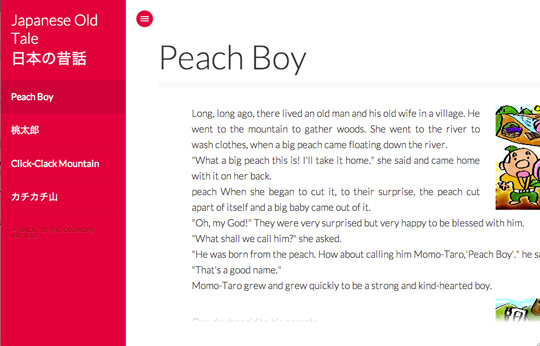
今回作ったデモサイトはこちら
Strikinglyを使ってみる

この手の「コード書かなくても無料でサイト作れます」というサービスが
ここ最近、どんどん出てきますね〜!
その中でも、Strikinglyはモバイルに特化しているという点で優れていると思います。
ページ遷移は基本的になし。
1ページのみの中で、スクロールしていって情報を表示します。
この手の「コード書かなくても無料でサイト作れます」というサービスが
ここ最近、どんどん出てきますね〜!
その中でも、Strikinglyはモバイルに特化しているという点で優れていると思います。
ページ遷移は基本的になし。
1ページのみの中で、スクロールしていって情報を表示します。
スキルアップをめざすなら、まずできることは、情報収集と環境を整えること! というわけで、今日は最近やってみたことを発表してみることにします。
I had let appear in the sidebar of WordPress timeline twitter, had not been displayed suddenly in October.
You seem to have no longer able to by changing the Twitter API, to display a tweet using jQuery apparently.
Here's how I fixed.
I tried to find out a little, in March of 2013, also seems to be stopped (version 1 of TwitterAPI) current methods.
In the Web world, because it is often such changes, after you create a site, to mean that, you still do not put anything does not go.
How to resolve the following.
At the [USERNAME], please put your Twitter user name.
How does this fix ...
↓ ↓ ↓ ↓ ↓ ↓ ↓ ↓ ↓ ↓ ↓ ↓ ↓ ↓
I think about the twitter and facebook, there are many changes to the specification.
Because technology has advanced rapidly, in each case, we are not only going to chase after.